
PROJECT / WEB DESIGN + INTERACTIVE DEVELOPMENT
Tony’s
PC Repair.
Making complex technology feel simple.
Tony’s PC Repair needed a digital experience that makes computer services easy to understand while feeling connected to modern PC hardware.
Visit Live Website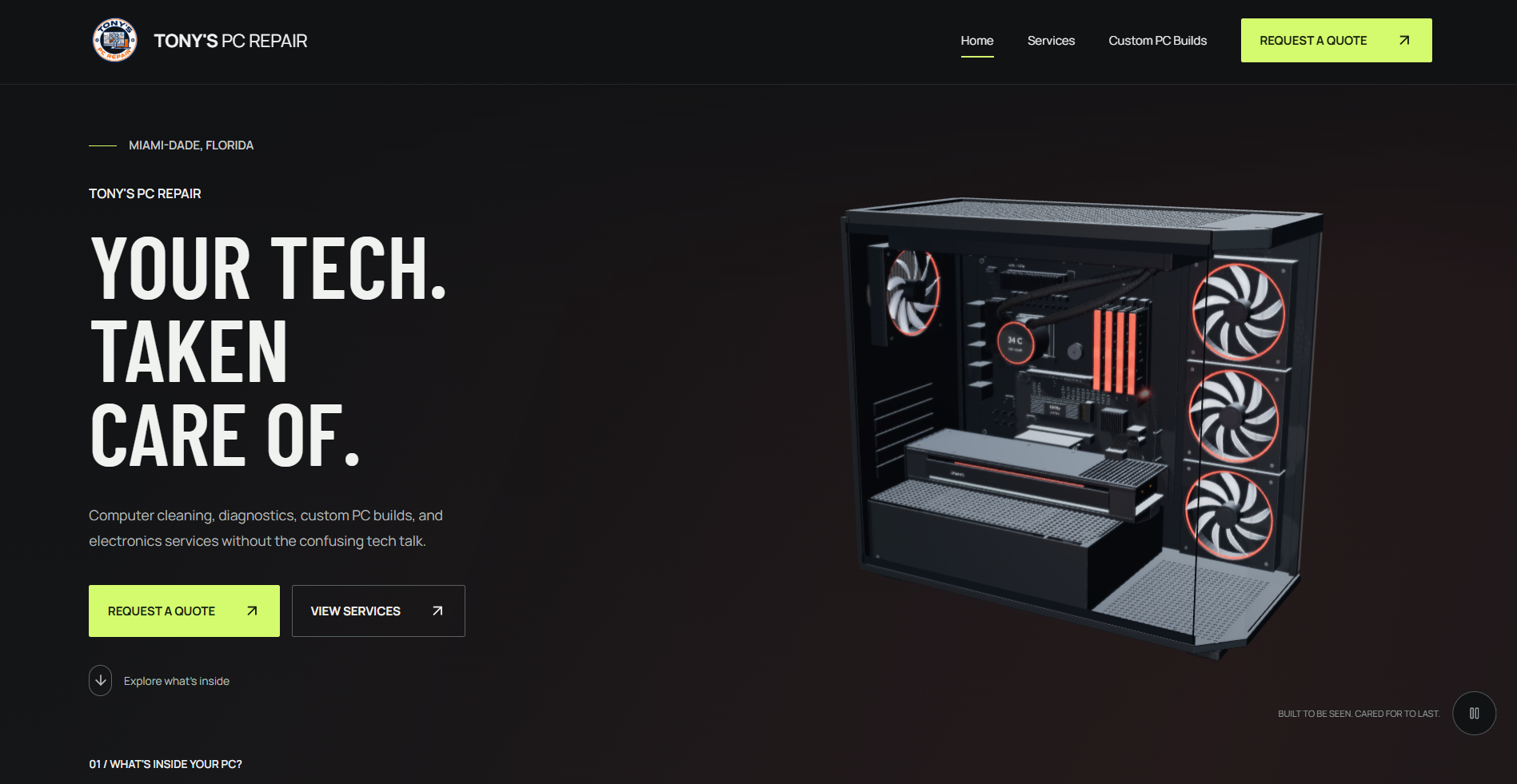
01 / THE CHALLENGE
CLARITY FIRSTTechnical services without the technical barrier.
Computer repair can sound intimidating when a customer only knows that a device is slow, dusty, or no longer working. The website needed to show what Tony can help with in plain language, keep a credible technology feel, and make the next step obvious.
Complex tech.
Simple help.
02 / THE DIRECTION
FORM FOLLOWS THE WORKA website that looks like it belongs inside a PC.
A dark interface, strong typography, hardware imagery, and restrained color accents connect the visual language to Tony’s work. The layouts stay structured and readable, so the technical character supports the service story rather than crowding it.
- HARDWARE VISUALS
- HIGH CONTRAST
- INTENTIONAL MOTION
03 / INTERACTIVE EXPERIENCE
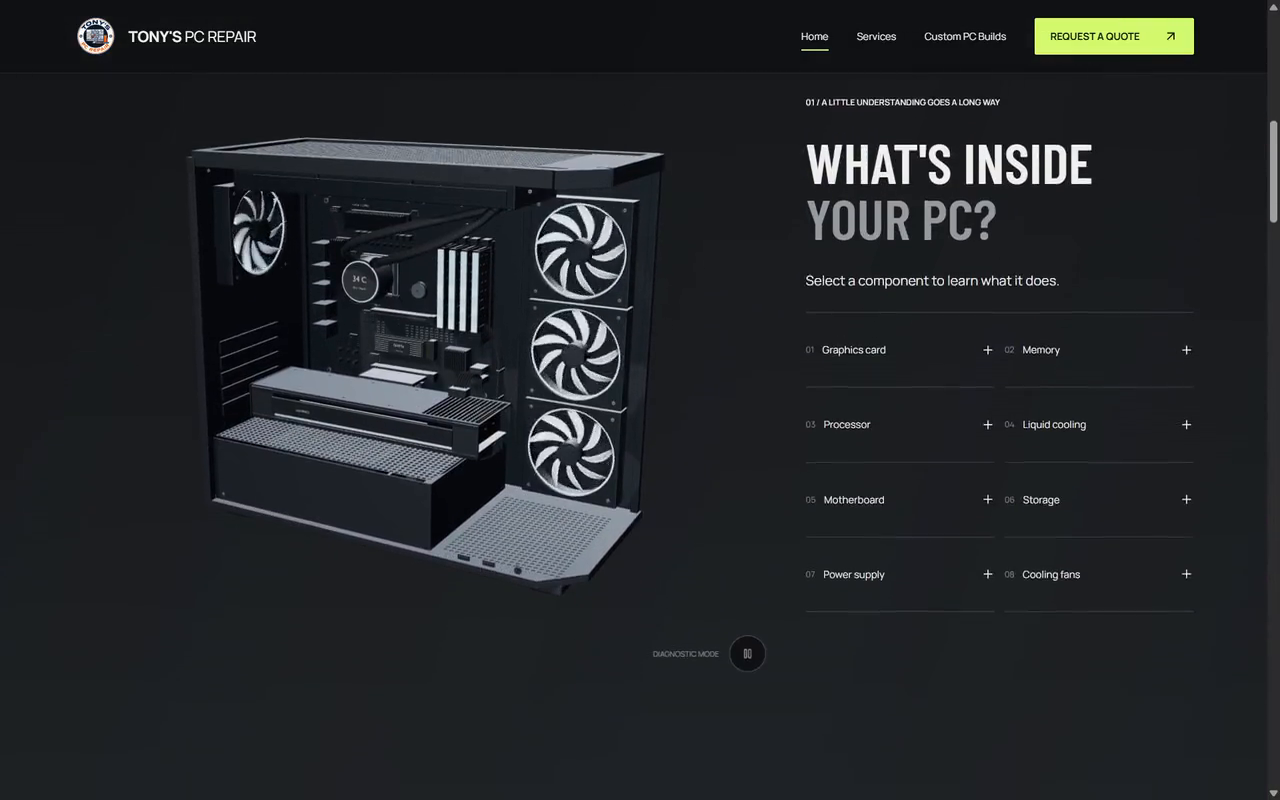
THE HARDWARE BECOMES THE INTERFACEExplore what’s inside.
Visitors can select PC components to open short explanations of what each part does, common problems, and ways Tony can help. A contextual link leads from the explanation to a relevant quote request. The interaction teaches while keeping a practical next step close.
04 / SERVICE UX
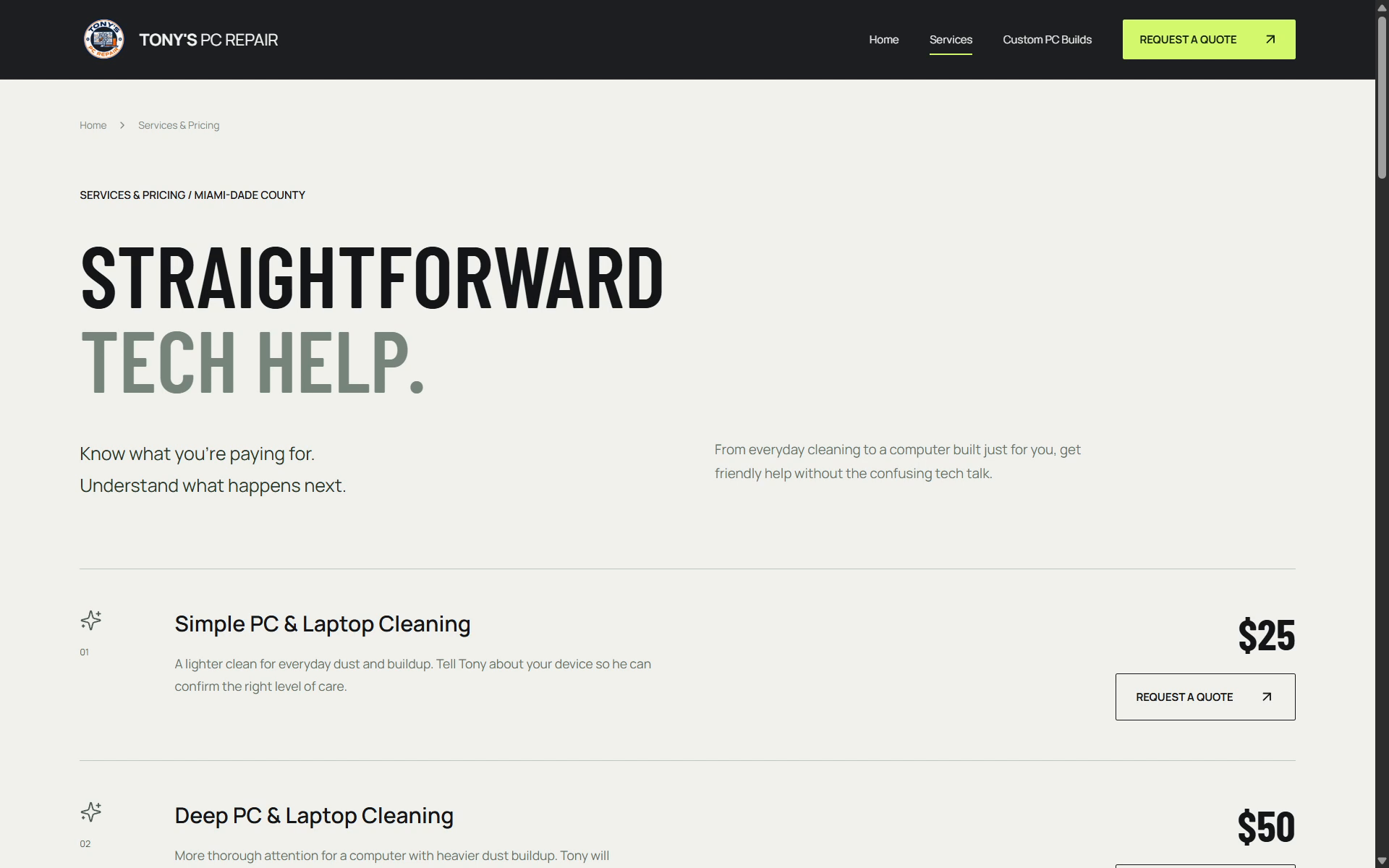
REDUCING DECISION FRICTIONStraightforward tech help.
The services page separates cleaning, diagnostics, custom builds, and other electronics help into scannable offerings. Each entry pairs a plain-language description with its current published price or quote guidance and a direct action. Visitors can compare options without decoding hardware terminology.
05 / CONVERSION PATH
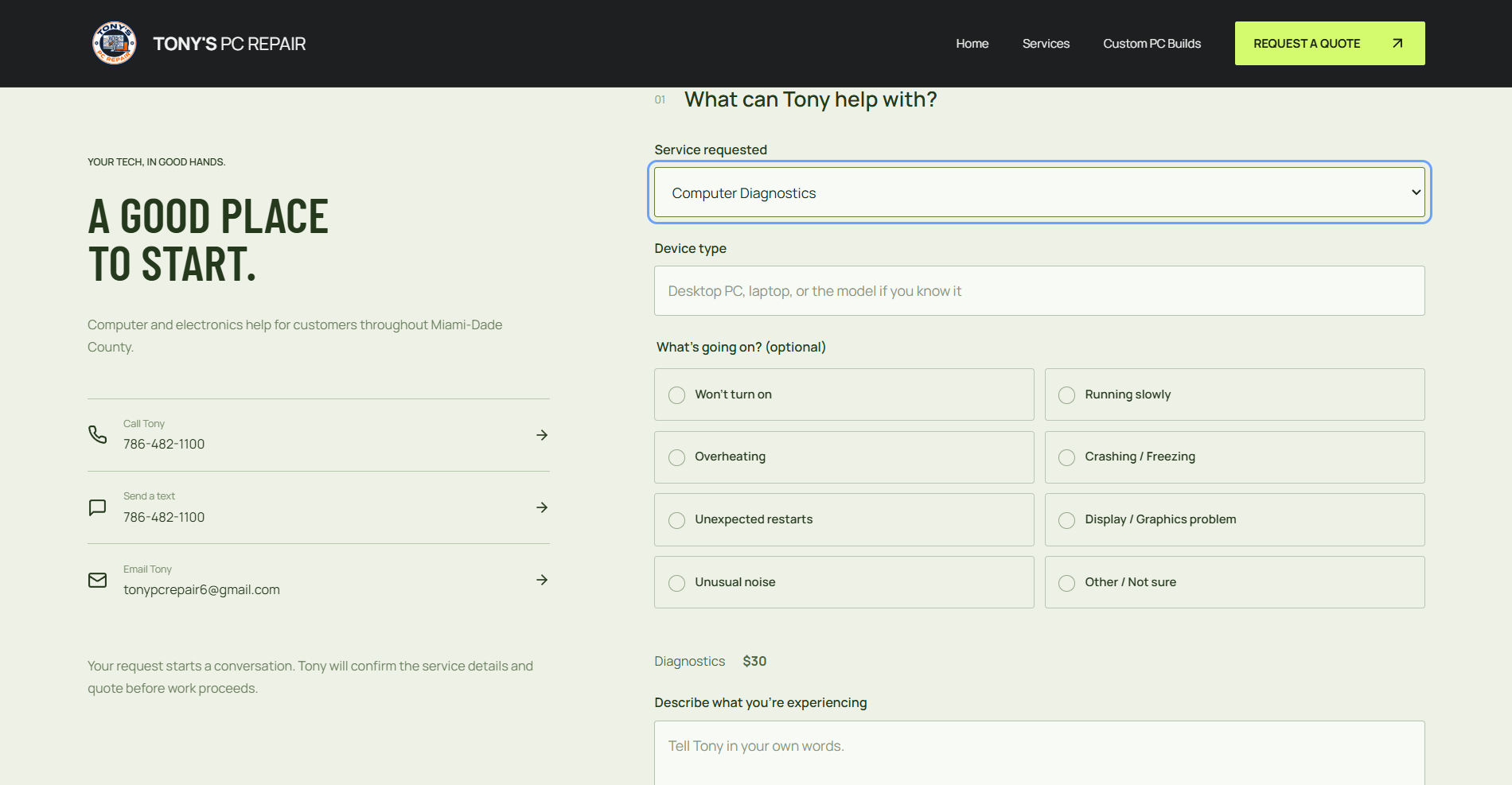
FROM INTEREST TO ACTIONFrom browsing to getting help.
The quote flow follows the service story: understand the options, choose a starting point, then describe the problem in everyday words. The live form asks how Tony should respond and makes clear that a request starts a conversation; it is not a booking or payment.
- 01 Understand the business
- 02 Compare the services
- 03 Describe the need
- 04 Request help
06 / SPECIALIZED SERVICE
A SERVICE WITH ITS OWN EXPERIENCEA dedicated experience for custom builds.
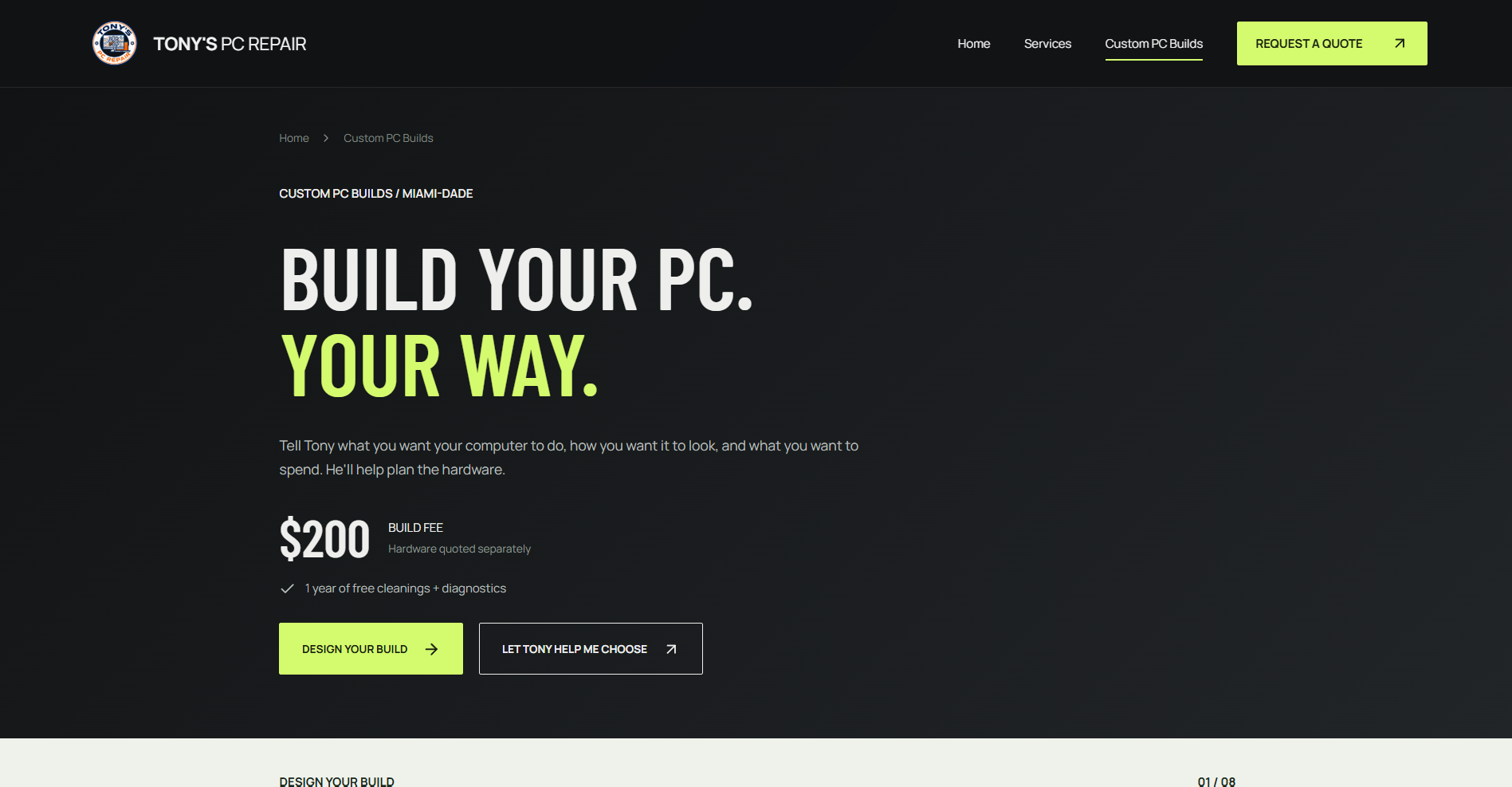
A new gaming or workstation PC calls for different questions than a repair. Tony’s dedicated page presents the build fee separately from hardware costs, offers a direct inquiry route, and includes an eight-step planner for use, performance, budget, style, and preferences.
07 / USER EXPERIENCE
BUILT FOR PLAIN ENGLISHBuilt for people who don’t speak PC.
Visitors can start with a symptom or a goal, rather than a component name. Everyday service names, visible prices, brief explanations, and clear quote links lower the amount of technical knowledge needed to move forward.
08 / RESPONSIVE EXPERIENCE
THE SAME JOURNEY, EVERY SCREENDesigned to adapt, not just shrink.
On smaller screens, Tony’s navigation becomes a compact menu and the service content stacks into a single reading path. The PC explorer keeps the selectable components usable by touch and presents the explanation in a focused panel. Headings, media, and actions reflow with the viewport.
Explore the live site on your device09 / DEVELOPMENT
MORE THAN A STATIC LAYOUTThe interaction carries the explanation.
The published experience connects custom interaction states to useful information. Selecting a PC part reveals its role, common issues, and a relevant help link. The build planner advances through distinct decisions, while the quote form accepts a description in the customer’s own words.
- 01 Selectable component explanations
- 02 Contextual service inquiry links
- 03 Multi-step custom-build planning
- 04 Responsive navigation and layouts
10 / DETAILS
ACTUAL PROJECT MEDIADesigned down to the component.
11 / THE RESULT
THE DELIVERABLEA technical brand experience without the complexity.
The finished website brings together a distinctive PC-focused interface, an interactive component explorer, clear service and pricing pages, a dedicated custom-build experience, and a straightforward route to ask for help. Each part serves the same goal: make Tony’s work easier to understand and act on.
YOUR BUSINESS DOESN’T NEED ANOTHER TEMPLATE.
Let’s build something people remember.
Tell us what your business needs. We’ll design the experience around it.
Start Your Project Explore More Work